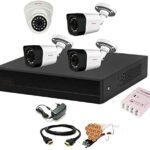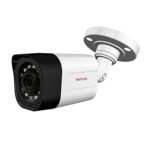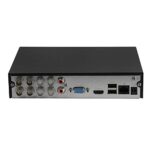
Why You Should Change Your CP Plus DVR Password
To protect your CCTV system from hacking
If the default password is still active
If someone else knows your password
After DVR installation or service
Method 1: Change Password from DVR (Using Mouse)
Step-by-Step Process
Right-click on the DVR screen
Go to Main Menu
Select Account / User Management
Choose Admin user
Click on Modify Password
Enter:
Old Password
New Password
Confirm New Password
Click Save / OK
✅ Password successfully changed.
Method 2: Change CP Plus DVR Password Using CP Plus App (gCMOB / iCMOB)
Open gCMOB / iCMOB app
Login to your account
Select your DVR device
Go to Device Settings
Open User / Account Settings
Change the password and save
⚠️ App option may vary depending on DVR model.
Forgot CP Plus DVR Password? (Reset Method)
If you forgot your DVR password, follow this:
Option 1: Using Forgot Password
Click on Forgot Password on DVR login screen
Scan the QR Code using CP Plus app
Generate reset code
Enter the code and set a new password
Option 2: Contact CP Plus Support
If QR method doesn’t work:
Note down DVR model number
Note Date & Time shown on screen
Contact CP Plus authorized support
Important Tips for Strong DVR Password
Use at least 8 characters
Include numbers + letters
Avoid 123456, admin, password
Do not share password with unknown persons
Common Problems & Solutions
Problem: Password not accepting
✔ Check CAPS LOCK
✔ Restart DVR and try again
Problem: Forgot old password
✔ Use Forgot Password / QR reset
Final Words
Changing your CP Plus DVR password regularly keeps your CCTV system secure and safe. Always use a strong password and avoid sharing it publicly.
If you need CCTV installation, service, or support, feel free to contact a professional technician.

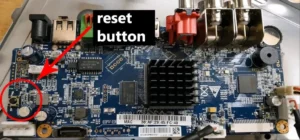
4 channel CCTV camera install karne ke liye kiya kiya chahiye
1️⃣ Main Equipment
4 Channel DVR / NVR
DVR = normal/analog HD cameras ke liye
NVR = IP cameras ke liye
4 CCTV Cameras
Indoor ya Outdoor (Bullet ya Dome camera)
Hard Disk (HDD)
1TB ya zyada (CCTV special – WD Purple / Seagate SkyHawk)
2️⃣ Wiring & Power
Camera Cable
RG59 coax cable (analog system ke liye)
Cat6 LAN cable (IP camera ke liye)
Power Supply (SMPS 12V)
Power wire & plug
BNC connectors (DVR system ke liye)
RJ45 connectors (NVR/IP camera ke liye)
3️⃣ Extra Accessories
Monitor / LED TV (live view ke liye)
Mouse (DVR/NVR ke sath aata hai)
HDMI ya VGA cable
Camera stand / mount
Junction box (outdoor camera ke liye recommended)
4️⃣ Internet & Mobile Viewing
Internet connection
Wi-Fi Router
LAN cable (DVR se router tak)
Mobile App
CP Plus / Hik-Connect / DMSS (brand ke hisab se)
5️⃣ Installation Tools
Drill machine
Screwdriver
Wall plugs & screws
Cable clips ya PVC casing
Crimping tool (LAN ke liye)
6️⃣ Optional (Better Safety)
UPS / power backup
Spike guard
Mic / Audio camera (agar awaz record karni ho